Portrait before
Portrait after
Portrait cutout
Original
Background Removed ✓
Background Remover
Cut any subject out
in under 10 seconds
Portrait, product, pet — Lampdra handles them all with razor-sharp edges.
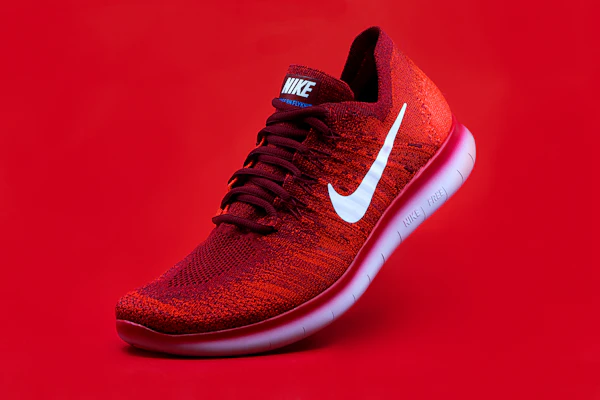
Sneaker before
Sneaker white bg
Original
Clean White BG ✓
Background Replacement
Product-ready in one click.
Amazon. Shopify. Anywhere.
Swap any background instantly. Pure white, studio colour, or your own scene.
Car before
Car studio
Street Shot
Studio Dark BG ✓
Background Design
Street shot to showroom.
Zero studio required.
Drop your vehicle onto any background — dramatic, clean or branded.
Coffee before
Coffee enhanced
Flat & Dull
Enhanced ✓
Background Enhancer
Make every food shot
look Michelin-starred.
Sharpen, enrich and elevate backgrounds without touching the subject.
Fashion before
Fashion studio
Original
Editorial BG ✓
Background Replacement
Fashion-editorial results
from any camera.
Clothing brands, influencers and online stores use Lampdra daily.
Dog before
Dog cutout
Park Photo
Clean Cutout ✓
Background Remover
Fur, feathers and fine hair —
all cut perfectly.
Our AI handles the most complex edges other tools get wrong.
Interior before
Interior enhanced
Raw Shot
Listing-Ready ✓
Background Enhancer
Real estate photos that
sell properties faster.
Brighten, sharpen and enrich any room in seconds — no Lightroom needed.
Cosmetics before
Cosmetics luxury
Original
Luxury Dark BG ✓
Background Design
Luxury brand visuals
without a studio budget.
Beauty, fragrance, jewellery — place any product on a premium background instantly.
13 Tools · 100% Free · No Sign-up Required

Every background tool
you will ever need

Remove, enhance, design, blur, replace, generate and animate image backgrounds — all in one free platform. No account. No downloads. Works in your browser.

Drop your image here or click to upload — JPG, PNG, WebP
✂ Start with Background Remover Browse All 13 Tools ↓
No upload to servers
100% private & secure
Works on any device
Download as PNG or JPG
13+
Free background tools
2.4M+
Images processed
190+
Countries served
4.9
Average user rating
<10s
Average processing time

13 tools. One platform.
Every background need covered.

Pick the tool you need. Each one is purpose-built, free, and gives you a result in seconds.

Before
After
BEFORE REMOVED
Background Remover
Lampdra Cut
Remove any background instantly. Products, portraits, logos.
Used by: sellers, photographers, designers
Open tool →
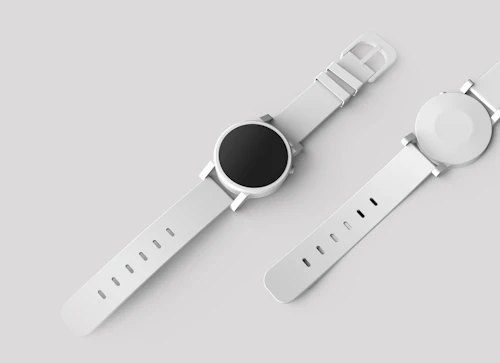
Product watch
4× HD
Background Enhancer
Lampdra Enhance
Sharpen, upscale and recover detail in any background.
Used by: photographers, print shops
Open tool →
Design workspace
CUSTOM BG
🎨
Background Design
Lampdra Design
Create solid colours, gradients and patterns as backgrounds.
Used by: designers, marketers, sellers
Open tool →
Social media lifestyle
1:1  →  4:5
📐
Background Resizer
Lampdra Resize
Resize to any dimension — social media, print, marketplace.
Used by: sellers, social media managers
Open tool →
Low res
High res
LOW RES
4K
🔍
Background Resolution
Lampdra Resolution
Upscale low-res backgrounds to 4x HD without quality loss.
Used by: print shops, photographers
Open tool →
AI generated beach
"sunny beach with palm trees"
🪄
Background Generation
Lampdra Generate
Describe any background in words and generate it instantly.
Used by: designers, content creators
Open tool →
Forest path extended
EXTEND CANVAS
Background Extension
Lampdra Extend
Expand any image canvas — wider, taller, or square format.
Used by: social media managers, designers
Open tool →
Portrait replacement
NEW BG
🔄
Background Replacement
Lampdra Replace
Swap any background — upload a photo, pick a colour or preset.
Used by: sellers, ID photos, creative work
Open tool →
Blurred background Sharp subject
BOKEH
💫
Background Blur
Lampdra Blur
Professional depth-of-field blur. Subject stays sharp.
Used by: portrait photographers, headshots
Open tool →
Mountain scene inpaint
🖌
🖌
Background Inpainting
Lampdra Inpaint
Paint out any object or blemish. Fills it naturally.
Used by: real estate, product clean-up
Open tool →
Portrait relighting
RELIT
💡
Background Relighting
Lampdra Relight
Change light direction, colour and mood of any background.
Used by: photographers, product studios
Open tool →
Ocean waves animation
GIF
🎬
Background Animation
Lampdra Animate
Add motion to any background. Export as GIF or video.
Used by: social media creators, marketers
Open tool →
Segmentation
3 LAYERS
🎯
Background Segmentation
Lampdra Segment
Separate multiple layers. Export each one independently.
Used by: compositing, video production
Open tool →

Before & After.
Real results from real tools.

Every card below shows a real photo transformation — cluttered on the left, clean on the right. This is exactly what each Lampdra tool does to your images.

Built differently from everything else

Most tools do one thing and ask for your card details. Lampdra does 13 things and asks for nothing.

🔒

Completely private

All processing runs directly in your browser. Your images never leave your device and are never uploaded to any server. Your files stay yours.

Fast and instant

No queues, no waiting rooms, no email confirmations. Upload your image and get your result in seconds. Every single tool works this way.

🆓

Genuinely free

Every tool on Lampdra is free to use. No subscription, no premium tier, no hidden watermarks. Download full quality results at no cost.

📱

Works on every device

Desktop, tablet or phone — Lampdra adapts to your screen. No app to install, no plugins required. Just open your browser and start.

🎯

Purpose-built tools

Each of the 13 tools is built specifically for one job. You get the right tool for the right task — not a watered-down all-in-one editor.

🌍

Used in 190+ countries

From freelancers and small businesses to photographers and marketing teams worldwide — Lampdra works for everyone, everywhere.

Three steps. That is all it takes.

Every Lampdra tool follows the same simple process so you are never confused about what to do next.

1

Pick your tool

Choose from 13 background tools in the sidebar. Each one is labelled clearly so you always know which tool does what job.

2

Upload your image

Drag and drop or click to upload any photo — JPG, PNG or WebP. Your image loads instantly and processing begins right away.

3

Download your result

Preview the result in real time, make any adjustments using the control panel, then download your finished image in full quality.

Trusted by creators worldwide

From solo photographers to large e-commerce teams — here is what real Lampdra users have to say.

★★★★★

"Lampdra Cut saved me hours every week on product photography. The background removal is cleaner than anything I have tried at any price point."

👩
Sarah K.
E-commerce store owner
★★★★★

"I use Lampdra Blur for every portrait I deliver to clients. The depth-of-field effect looks completely natural. Can't believe it's free."

📷
Marcus T.
Freelance photographer
★★★★★

"Having all 13 tools under one roof means I don't need to switch between five different websites anymore. Lampdra is the only background tool I use now."

🎨
Priya N.
Graphic designer
★★★★★

"Lampdra Generate is incredible. I describe the background I want and it creates it. Our marketing team uses it for ad creatives every single day."

📊
David O.
Marketing manager
★★★★★

"The fact that nothing is uploaded to a server was the main reason I chose Lampdra. Privacy matters. And the tools are excellent on top of that."

🔐
Lena M.
Legal consultant
★★★★★

"I use Lampdra Resize and Lampdra Resolution together before every print job. Results come out sharp and properly sized every time. Brilliant platform."

🖨
James W.
Print studio owner

Frequently asked questions

Everything you need to know about Lampdra and how it works.

Is Lampdra really free? +
Yes. Every one of the 13 tools is completely free to use. There is no subscription, no free trial and no hidden tier. You can use every tool and download full quality results at no cost.
Do I need to create an account? +
No. Lampdra requires no sign-up, no email address and no account of any kind. Open any tool, upload your image and get your result — that is it.
Are my images kept private? +
Completely. All image processing happens directly inside your browser on your own device. Your photos are never uploaded to our servers, never stored, and never seen by anyone. Your files stay entirely private.
What image formats are supported? +
All Lampdra tools accept JPG, PNG and WebP images. You can download your results as PNG with a transparent background or JPG with a solid background depending on the tool you use.
Is there a file size or resolution limit? +
There is no strict file size limit enforced by Lampdra. However, very large files may be slower to process depending on your device's memory and processing power, since everything runs in the browser.
Which tool should I start with? +
If you need to isolate a subject from its background, start with Lampdra Cut — the Background Remover. It is the most commonly used tool and works as the foundation for many of the other 12 tools.
Can I use Lampdra on my phone? +
Yes. Lampdra is fully responsive and works on mobile browsers including Chrome and Safari on iOS and Android. No app installation is required.
How do the 13 tools connect to each other? +
Each tool is its own dedicated page and can be used independently. They are linked through the sidebar navigation that appears on every page. You can move between tools at any time using the sidebar — it is always visible and always active.

Start using Lampdra today — it's free

No sign-up. No credit card. No limits. Just 13 powerful background tools ready to use right now.

✂ Start with Background Remover →